Nodi opens the site, makes the call, writes the file, and sends the email itself. It checks with you before it pays or reaches someone new.
Orders and bookings on real sites
Phone calls to shops and people
Docs, sheets, slides, and the files on your Mac
02
It’s a step ahead.
Each morning Nodi looks over your day and gets things ready: a draft for the email that needs a reply, a heads-up when two plans collide. Nothing goes out until you tap.
A morning brief of what needs you
Routines that run when you set them
Reading on the things you follow
03
It listens and takes the notes.
Start a meeting and Nodi writes as you talk, then lays out what was decided and what comes next. Leave it on outside meetings and it keeps up with your day.
Live meeting notes and to-dos
Listening along, meeting or not
Voice and video calls with Nodi
What you can hand to Nodi
Pick one to see how Nodi handles it.
It knows you, so you never start over.
What you say, what’s in your mail and calendar, what was said in a meeting, the files you hand over. Nodi keeps what matters as memories you can see, search, and correct.
Other AI apps that speak MCP can read the areas you open to them.
Built so you can hand things over
A personal AI only works if you can trust it with your life. These are the rules Nodi runs on.
Stored encrypted
Your conversations, memories and files are kept encrypted with AES-256, backups included. Site sign-ins you ask Nodi to remember are encrypted too, and you can make it forget them any time.
Your inbox isn’t copied
Nodi doesn’t keep a full copy of the mail and calendar you connect. It keeps what it understood, as memories you can read and delete.
Never used to train AI
Your data is not used to train AI models. It is yours to download or delete at any time.
It asks before money moves
Payments wait for your tap. For everything else, you choose in each chat how much Nodi handles on its own.
Shared only as far as you open it
Other AI apps read only the areas you choose, and connections can be cut any time.
A chat that remembers nothing
Open a conversation without memory when you want one off the record.
A voice-first companion for the everyday in between.
There when you need it.
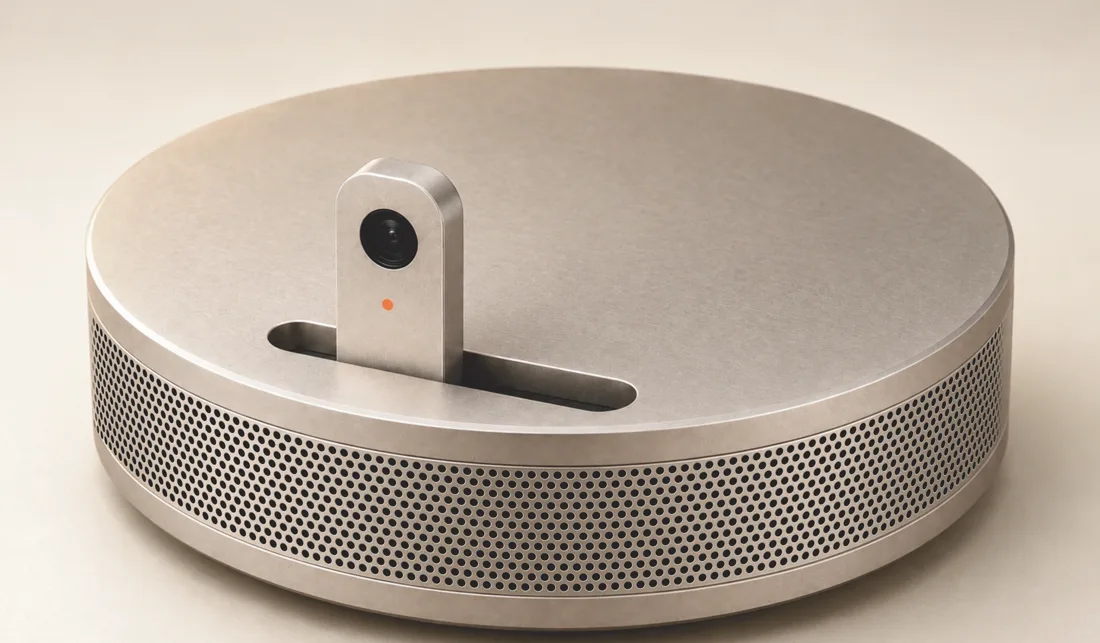
Designed to rise when in use, and tuck away when it isn’t.
Questions
What can Nodi read?
Only the accounts and services you choose to connect, within the access you allow. You can start by chatting, connect one thing at a time, and disconnect whenever you want. Signing in does not connect your email or calendar.
Is my data used to train AI?
No. Your data is not used to train AI models. Nodi does use third-party AI providers to process requests and connected information when needed. The privacy policy explains what is processed, by whom, and how long it is kept.
Can I see or delete what Nodi remembers?
Yes. You can see your memories and their sources, download them, or delete them. You can also ask Nodi to forget. Disconnecting an app stops future access; memories already made stay until you delete them.
Will Nodi do things without asking?
You choose how much to delegate. Auto handles everyday actions and asks when it's your call. Full access gives it more room to act. Some actions, like paying for something, still ask first. Routines follow the permissions you gave when creating them.
Can I have a conversation without memory?
Yes. Open a conversation without memory when you want a separate space. It does not read your memories or create new memories from that conversation.
How do I get started?
Choose Get started and sign in with Google or Apple. You can also get the Mac or Android app and sign in there. iPhone is coming soon.
What if an answer doesn’t seem right?
Nodi can make mistakes. Check the memories behind an answer, tell Nodi if something is wrong, and verify important details before acting.
Start with one thing.
Hand Nodi the task you’ve been putting off, and see it done.